How-To
How to Redeem a CDK
Redeeming a PUBG CDK code on PC takes under a minute. Follow the steps below, each one walks you through the Steam activation process from start to finish.
Once in PUBG PC go to store
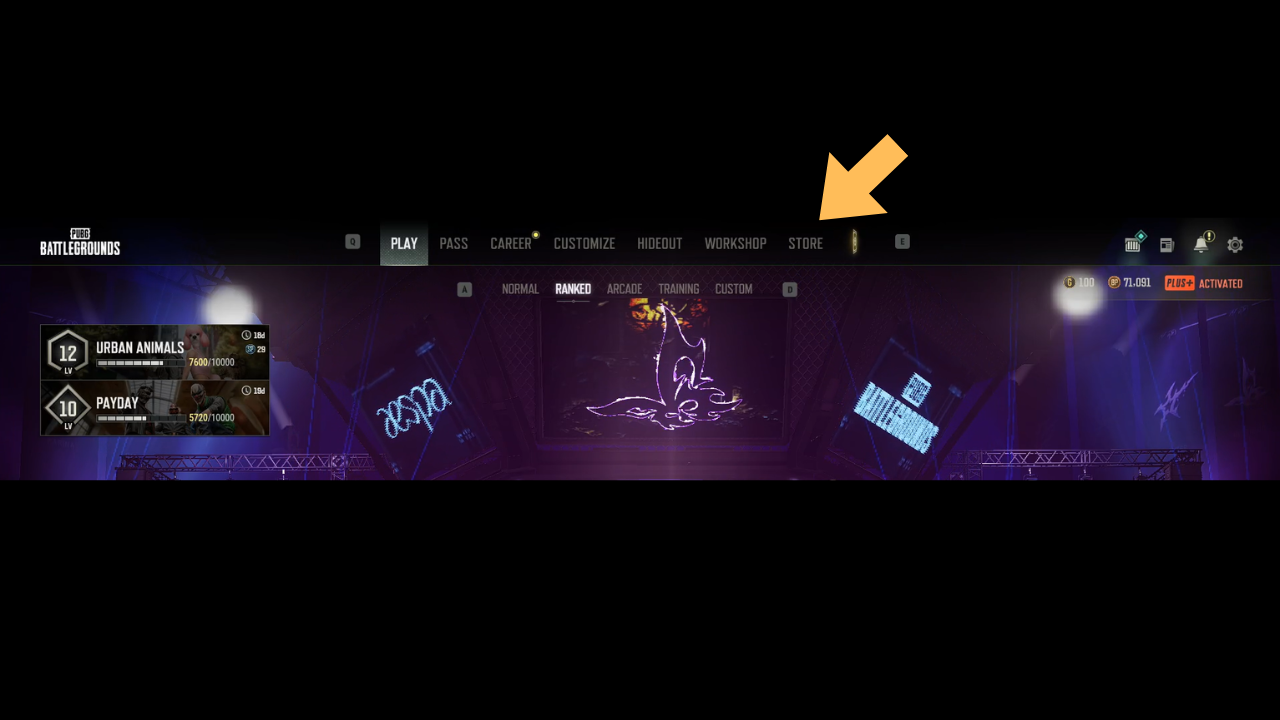
Launch the Steam client on your PC and make sure you're logged into the account you want the PUBG content added to. The item is tied to whichever account redeems the code, so double-check this before continuing once in pubg store.
Once in stire click on ADD BONUS/GIFT CODE
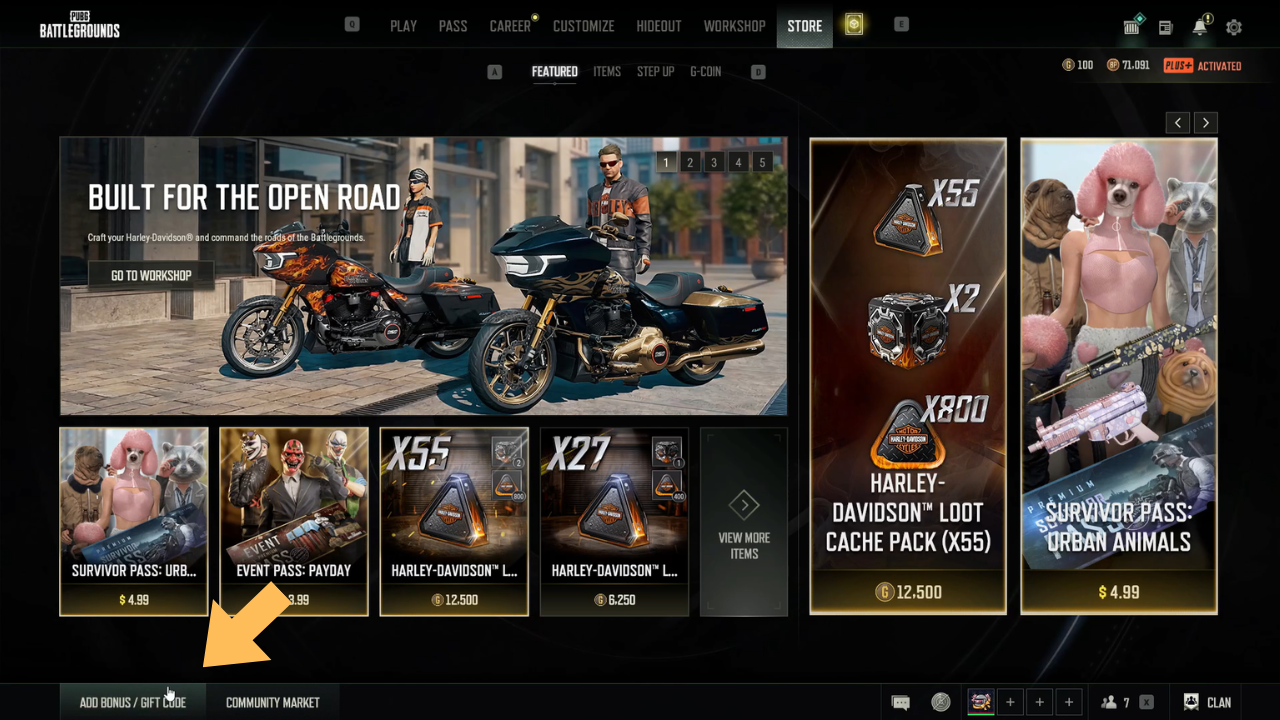
in the bottom left of store click as instructed which will bring up a cdk or code input
Enter CDK code
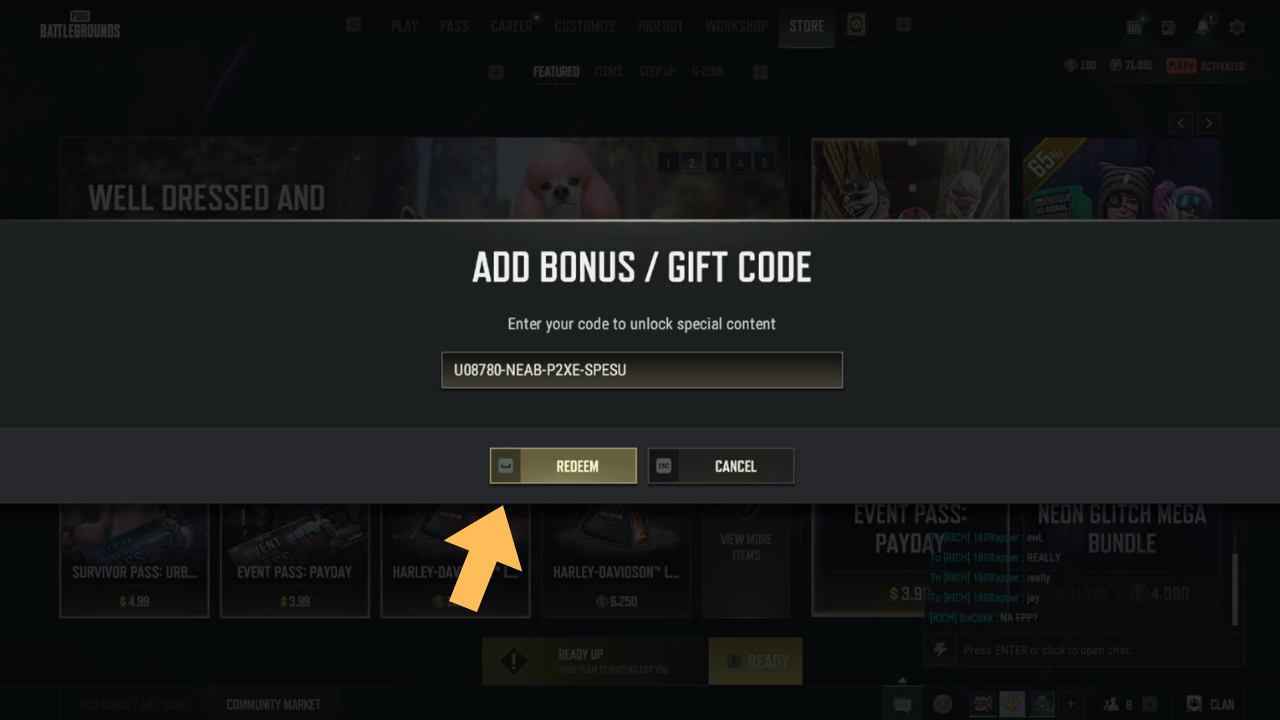
we reccomend to copy and paste the code exactly as given and delivered by us note any difference may it be 1 letter or symbol will render the code invalid make sure the code is same as provided, here is a example code that has already been redeemed. Type or paste the CDK code exactly as it was delivered to your email, including any dashes. Codes are case-insensitive but must be entered with no extra spaces.
For crates cdk and items code
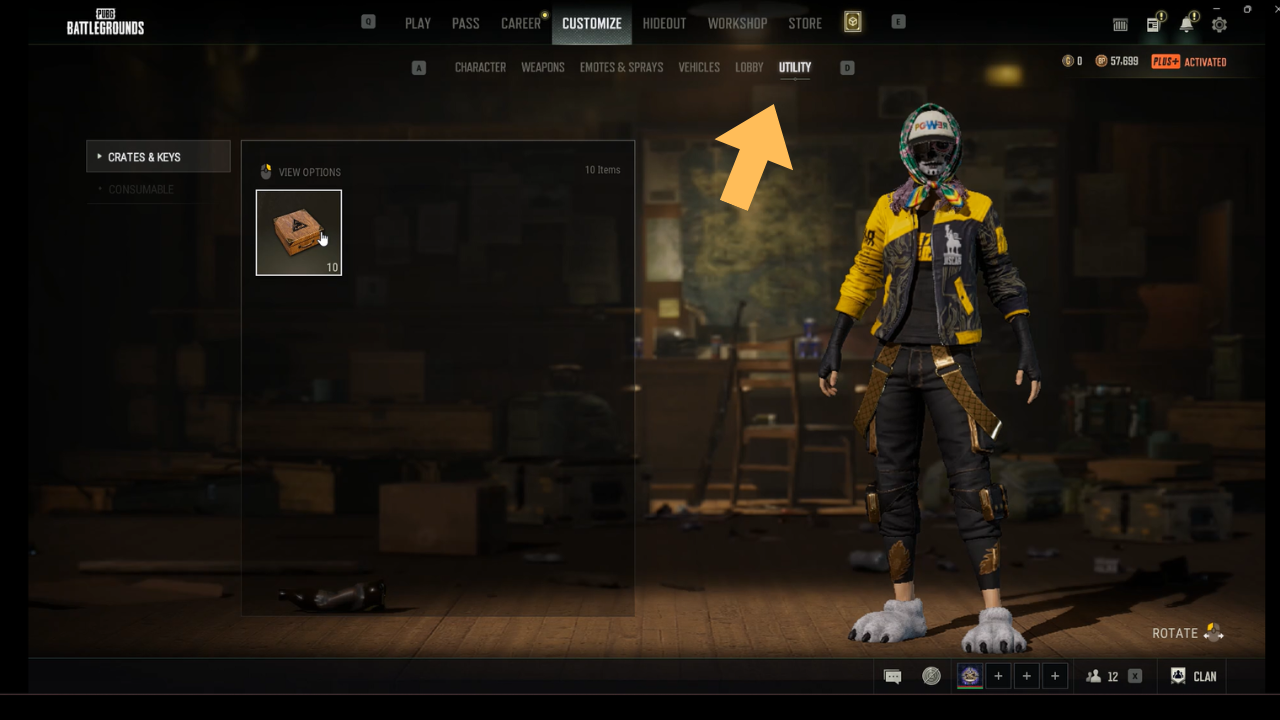
For pubg crate cdk codes the crates after redemption will be shown in customize - utility ,this is were you can open up the crates for a chance at your desired item. All item cdk codes redemtion will go directly into your inventory in customize - characters.
Enjoy you limited edition skins!
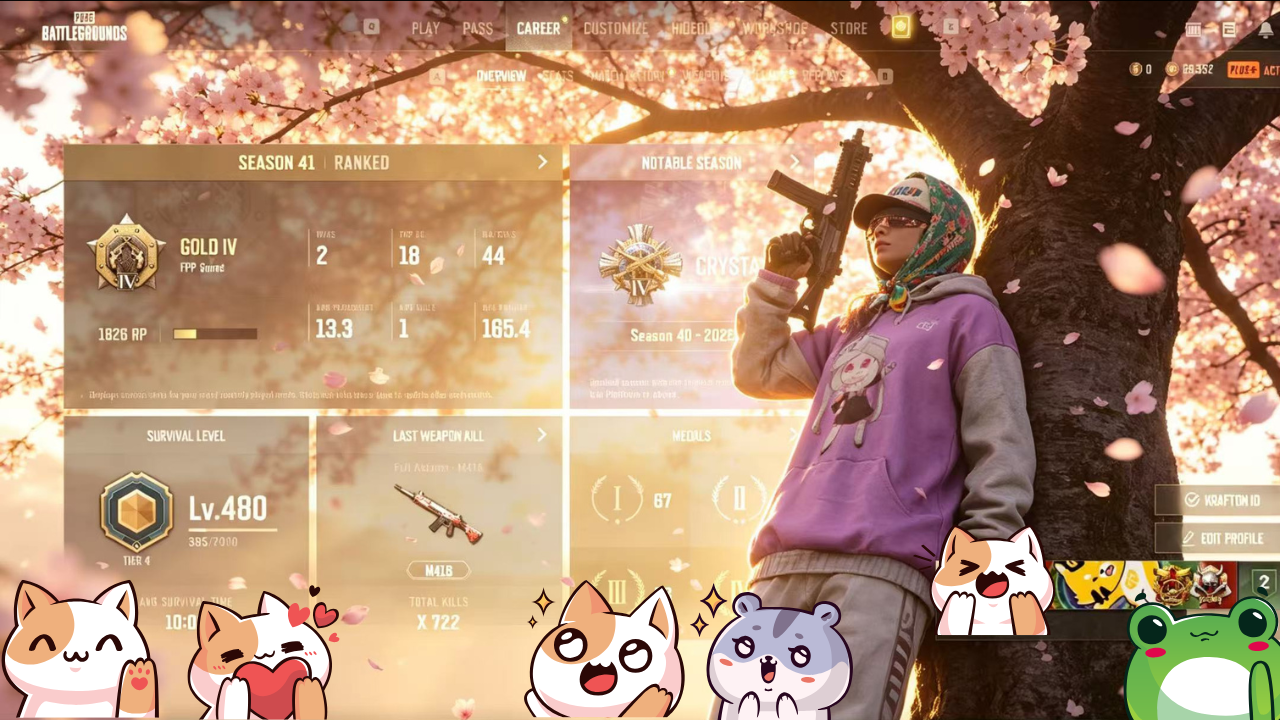
Once the code is accepted, the content is added to your account. Enjoy owning a permanent edition of your special edition skin may it be whats displayed with the full autumn m416, heybox hoddie, or Lflong's Unmatchable Talent Gloves. Hope you enjoy are services happy playing with pretty and rare gear that is unavaliable and unattainable in the game through normal means
Code not working?
If your code is rejected, first confirm you're redeeming on the correct platform (PC / Steam) and region. The same error appears for codes entered with a typo or extra space. If the issue persists, reach out within 24 hours of delivery through our Contact page with your order number and we'll help sort it out.